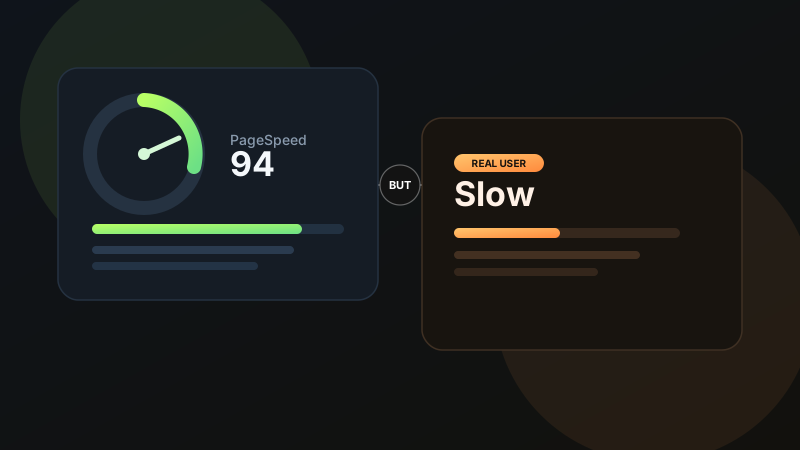
A lot of teams hit the same confusing moment: the obvious Google PageSpeed problems are fixed, Lighthouse looks healthier, and yet Core Web Vitals are still failing in Search Console or CrUX. It feels contradictory, but it is not. PageSpeed improvements and Core Web Vitals success are related, not identical. One helps you debug. The other reflects how your site behaves for real people at scale.
If PageSpeed is the checklist, Core Web Vitals are the reality check. A cleaner report does not automatically mean a better field experience.
01 PageSpeed fixes do not always reach real users
The first thing to understand is that many PageSpeed optimizations improve lab results faster than field results. You can compress images, defer scripts, preload fonts, and reduce bundle size, then immediately see stronger synthetic performance. But Core Web Vitals are influenced by how the site behaves across thousands of real visits on different devices, browsers, and network conditions. That takes longer to improve, and sometimes it reveals a different problem entirely.
This is why teams often think the tooling is wrong when the real issue is measurement context. A site may technically load faster and still fail because responsiveness, layout stability, or runtime behavior remain weak. If your team is already running into the broader "it scores well but still feels slow" problem, this article pairs well with my guide on why real-user speed can still feel slow after PageSpeed improvements.
02 LCP can fail for reasons that lab tests hide
Largest Contentful Paint is often treated like an image optimization problem, but it is really a rendering priority problem. Yes, oversized images hurt. But so do blocked rendering paths, slow servers, unstable cache behavior, late hero content injection, font swaps, and client-side rendering delays. In lab tests those issues may appear manageable. In production, under heavier traffic or slower networks, they become visible.
This is especially common when the hero section depends on JavaScript, third-party content, or late-arriving data. The page shell appears quickly, but the actual largest content arrives too late to satisfy field thresholds. From a UX standpoint, users do not care which asset technically caused the delay. They just experience a slow first impression. Strong hierarchy and early useful content still matter here, which is why good UI design principles support performance just as much as engineering fixes do.
Common hidden causes of poor LCP
- Hero content rendered too late in the request chain
- JavaScript-dependent above-the-fold sections
- Font loading delays affecting headline paint
- Slow API or CMS response times
- CDN or cache misses in production traffic
03 INP is where many "optimized" sites still break
Interaction to Next Paint is the metric that catches a lot of modern websites off guard. The page can appear fast, but if tapping a menu, typing in a form, opening a drawer, or triggering a filter causes the main thread to stall, INP suffers. This is where too much JavaScript, hydration pressure, event handler complexity, and unnecessary client-side state usually show up.
INP is difficult because it reflects actual interaction quality, not just initial load. A site can look beautiful and even feel fast for the first second, then fall apart the moment the user tries to do something. Animation-heavy interfaces need special care here too. Motion is fine when it supports feedback, but not when it blocks responsiveness. If your site uses rich transitions, my GSAP article covers how to keep motion deliberate without overwhelming runtime performance.
04 CLS can fail because of design decisions, not just code mistakes
Cumulative Layout Shift is often framed as a technical hygiene issue, and it is, but it is also a content and layout planning issue. Shifting banners, late-loading images without reserved space, injected promo bars, variable-height embeds, cookie notices, and dynamic fonts can all move the interface after users begin reading or interacting.
Sometimes the shift is subtle enough that teams stop noticing it on their own devices. Real users still feel it. This is one reason design systems help performance: when components have predictable dimensions, reserved media space, and consistent states, layout stability improves. That discipline becomes much easier when your product has a stronger design system foundation.
Many CWV failures are not one big bug. They are the sum of dozens of small choices that seemed harmless in isolation.
05 Search Console data moves slowly, and that matters
Another reason teams get confused is timing. Search Console and CrUX do not instantly reflect your latest performance fixes. Core Web Vitals data is aggregated over time, and meaningful improvement can lag behind the deployment. That delay makes people think the fixes did nothing, when sometimes the field data simply has not caught up yet.
That said, delay should not become an excuse. If the same URL pattern keeps failing week after week, the issue is probably systemic: templates, shared scripts, mobile interaction cost, or layout instability across the whole component set.
06 Performance is product behavior, not just asset optimization
This is the deeper lesson. Teams often approach performance like a cleanup task: compress images, minify code, defer JavaScript, done. But Core Web Vitals force a more honest view. They measure how a page loads, shifts, and responds under real use. That means perceived performance, interaction design, content strategy, and frontend architecture all become part of the same problem.
Even small interface choices matter. Slow feedback, delayed button states, over-animated loaders, and visually unstable cards all worsen the user experience even when technical metrics are improving. Thoughtful micro-interactions can support perceived speed, but only when they reduce uncertainty instead of adding delay.
What to investigate when CWV still fails
- Real-user mobile field data, not only Lighthouse
- Hydration and JavaScript task cost
- LCP element loading path and render priority
- CLS sources from banners, media, and injected UI
- Third-party tags, widgets, and tracking tools
- How quickly the page becomes meaningfully interactive
07 The practical way forward
If your PageSpeed report looks fixed but CWV still fails, stop chasing a perfect score and start isolating the real field bottleneck. Identify which metric is failing. Find which template or component pattern causes it. Test on weaker devices. Reduce runtime cost. Reserve layout space. Simplify interactions that block the main thread. Then wait long enough for the field data to confirm the change.
Performance becomes much easier to improve when design and engineering treat it as a shared product quality issue rather than a post-launch audit.
A cleaner report is only the beginning
Fixing PageSpeed issues is useful, but passing Core Web Vitals usually requires deeper work: faster rendering, steadier layout, better interaction handling, and a product experience that holds up on real devices. If you want help improving both the frontend behavior and the UX layer behind these problems, you can get in touch here.
FAQ
Common questions about Google PageSpeed Is Fixed, But Core Web Vitals Are Still Failing: Why?
A quick summary of the most common questions readers have about this topic.
Because PageSpeed fixes often improve lab conditions first, while Core Web Vitals are heavily influenced by real-user behavior, device quality, network conditions, and runtime performance in the field.
PageSpeed is a broader performance report that includes lab diagnostics, while Core Web Vitals focus on specific real-user metrics like LCP, INP, and CLS that reflect loading, responsiveness, and layout stability.
INP is often the hardest because it depends on how much JavaScript runs on the main thread and how quickly the interface responds to real user interactions.
Yes. Lighthouse is a controlled lab test. A site can score well there and still fail field-based Core Web Vitals if real visitors encounter slower devices, unstable networks, or delayed interaction readiness.
Start with LCP elements, JavaScript execution cost, third-party scripts, hydration timing, layout shifts, and mobile field data from real users rather than relying only on synthetic tests.