Early in my career I spent weeks perfecting a dashboard that looked stunning, clean typography, beautiful colour palette, the works. A real user sat down, stared at it for 30 seconds, and asked "what am I supposed to do here?" That moment changed how I design. These are the ten principles I've carried on every project since. If you're curious about my full design process, that's covered in detail on the About page.
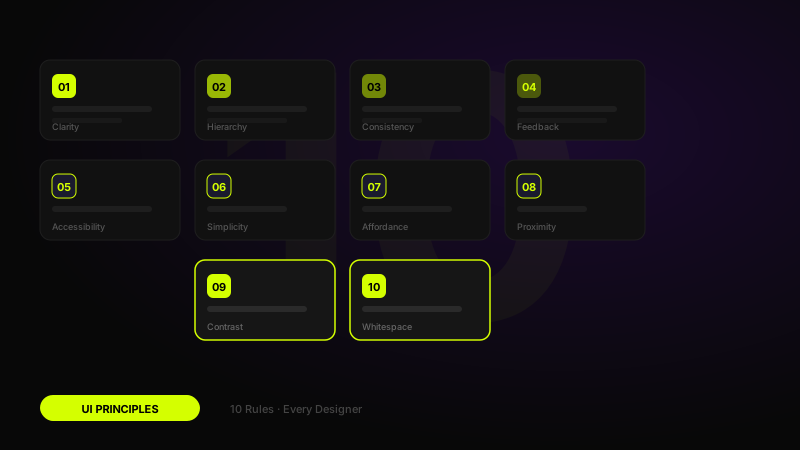
01Clarity over cleverness
The most elegant design is often the most obvious one. Every time you prioritise a clever visual trick over clear communication, you risk losing the user. Before you design anything, ask: would someone who has never seen this before understand what to do?
This doesn't mean boring design. It means that beauty should amplify clarity, not compete with it. Apple's original iPod wheel is a perfect example: it looked novel, but using it took zero learning.
"A user interface is like a joke, if you have to explain it, it's not that good."
02Visual hierarchy
Users don't read interfaces, they scan them. Visual hierarchy is the system that controls what the eye sees first, second, and third. Size, weight, colour, contrast, and spacing are your tools.
A strong hierarchy means a user landing on a page knows instantly what it's about, what the most important action is, and where to find everything else. If everything shouts, nothing is heard.
Quick checklist
- Is the primary action the largest, heaviest, or most contrasted element?
- Can you identify the three levels of information at a glance?
- Does the layout guide the eye in a predictable Z or F pattern?
03Consistency
Consistency reduces the cognitive cost of learning a new interface. When buttons look the same across every screen, when spacing follows a predictable grid, when icons carry the same visual weight, users build a mental model quickly and stop having to think.
This is why design systems exist. Not to constrain creativity, but to free it by settling the boring decisions once so you can focus on the interesting ones.
04Feedback & response
Every action a user takes deserves acknowledgement. Buttons should animate on press. Forms should confirm submission. Long operations should show progress. Silence from an interface breeds anxiety, did it work? is a question good design never leaves unanswered.
Micro-interactions carry most of this weight. A subtle scale on tap, a colour shift on hover, a checkmark after save, these tiny moments of feedback make an interface feel alive and trustworthy.
"Invisible design is the goal. The best feedback is the kind users feel without noticing it."
05Accessibility first
Designing accessibly isn't a constraint, it's a quality signal. Sufficient colour contrast, clear focus states, logical tab order, and meaningful alt text don't just help users with disabilities; they make the experience better for everyone.
Start with WCAG AA as your floor, not your ceiling. A 4.5:1 contrast ratio costs nothing to achieve and makes your text readable in sunlight, on low-quality screens, and for the 8% of men with colour blindness.
Non-negotiables
- All text meets WCAG AA contrast ratio (4.5:1 for body, 3:1 for large text)
- Interactive elements have visible focus indicators
- Touch targets are at least 44×44px
- Icons alone are never the only affordance, pair with a label
06White space
White space, or negative space, isn't empty. It's breathing room. It separates elements into logical groups, draws the eye to what matters, and gives an interface a sense of calm confidence. Cluttered layouts signal insecurity; generous spacing signals intent.
The most common mistake is treating white space as wasted space. Resist the urge to fill every gap. Let elements breathe.
07Progressive disclosure
Show users what they need, when they need it. Dumping every option on screen at once overwhelms and paralyses. Progressive disclosure reveals complexity in layers, the simple view first, advanced options on demand.
This is why good onboarding flows reveal features gradually. It's why settings pages hide advanced options behind an "Advanced" toggle. It respects the user's current context and intent.
08User control
Users need to feel in control of the interface, not controlled by it. This means undo is always available, destructive actions require confirmation, and navigation paths are clear. When users feel trapped or uncertain, they abandon.
Design every dead end with an escape hatch. Every error state with a path forward. Every modal with a visible close button.
09Error prevention
The best error message is one that never appears. Before presenting a solution to an error, ask if the error could have been prevented by better design. Inline validation, smart defaults, confirmation dialogs for irreversible actions, these remove the conditions for mistakes.
When errors do happen, make them specific, human, and actionable. "Something went wrong" helps nobody. "Your session expired, please log in again" helps everyone.
10Design for real content
Lorem ipsum will betray you. Designs built with placeholder text collapse the moment real content arrives, names that are too long, images that are portrait not landscape, descriptions that run to four lines not one.
Test your designs with real, varied, edge-case content from day one. Design the empty state, the error state, the overflowed state. A layout that only works for the happy path isn't a finished design.
"Design is not just what it looks like and feels like. Design is how it works.", Steve Jobs
The thread that ties them all together
Every principle above is really the same principle in different clothing: respect the user's time, attention, and intelligence. Great UI design removes friction, builds trust, and makes people feel capable. When it works, nobody notices, and that's exactly the point.
FAQ
Common questions about 10 UI Design Principles Every Designer Should Know in 2026
A quick summary of the most common questions readers have about this topic.
The most important UI design principles are clarity, hierarchy, consistency, feedback, accessibility, spacing, and designing for real content and error states.
Visual hierarchy helps users understand what matters first, what actions to take, and how to scan a page quickly without confusion.
They reduce friction, support better decisions, and make interfaces easier to understand, trust, and use across different devices and contexts.
Yes. AI can speed up output, but principles like accessibility, hierarchy, and feedback still determine whether the final interface actually works for users.
Study real interfaces, practice applying the principles in your own work, and review how clarity, consistency, and usability show up in production products.