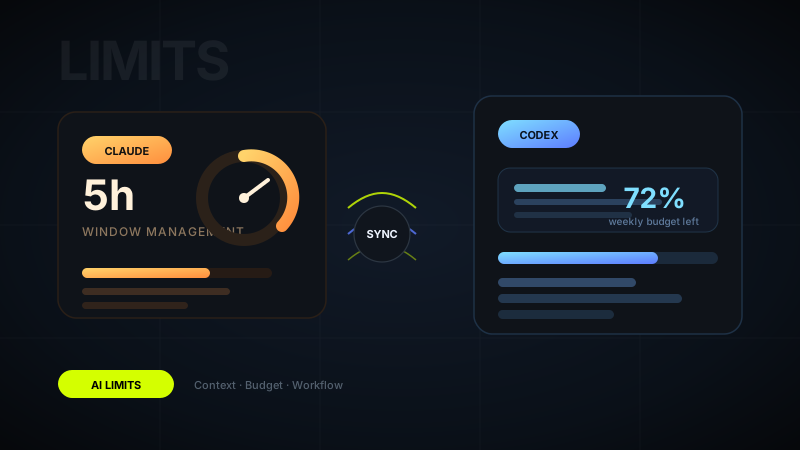
If you keep hitting Claude's 5-hour cap or burning through a weekly Codex allowance too early, the problem is usually not that you are "using AI too much." It is that the workflow is leaking usage. Most people run out of budget because their sessions get bloated, repetitive, and poorly scoped. The good news is that this is fixable without becoming robotic or slowing your work down.
As of May 13, 2026, both Anthropic and OpenAI describe usage as depending heavily on conversation length, attachment size, task complexity, and feature choice. That means efficiency matters as much as frequency.
01 Treat context like a budget, not free space
The fastest way to hit limits is to keep treating one conversation like a permanent workspace. Every extra turn, attachment, pasted spec, and repeated clarification adds weight. Over time, the system has to carry more context forward, and that increases the cost of each new message.
A better habit is to think in working context blocks. Give Claude or Codex only what is needed for the task in front of you. If the next problem is meaningfully different, start a new thread with a clean summary instead of dragging the entire old session along.
Low-waste context habits
- Paste only the relevant excerpt, not the entire document or codebase
- Summarize prior decisions in a few lines before starting a new thread
- Remove duplicated instructions you keep re-sending manually
- Split unrelated tasks into separate conversations
02 Stop using one chat for everything
A surprisingly common mistake is mixing planning, brainstorming, debugging, editing, review, and final polish inside one giant conversation. That feels convenient at first, but it is expensive. The thread becomes noisy, the model has more history to track, and answers often get less precise.
Instead, separate your work by mode. One thread for planning. One for implementation. One for review. One for final rewriting. This keeps prompts lighter and improves answer quality at the same time. The same discipline helps whether you are using Claude for writing or Codex for code-heavy work.
03 Batch related questions into one strong prompt
Usage gets wasted when you ask AI to inch forward in tiny turns: one question, then another, then a clarification, then a small correction, then another follow-up. That interaction style feels natural, but it often costs more than a single well-structured prompt.
When possible, bundle related asks together. State the goal, constraints, inputs, and desired output format once. Ask for the result in one pass. This reduces back-and-forth and makes each response do more real work.
A concise but complete prompt is usually cheaper than five half-formed prompts that slowly reconstruct the same context.
04 Keep attachments and pasted files lean
Large files are one of the easiest ways to drain usage, especially in Claude. People often upload full PDFs, meeting notes, giant specs, or entire folders when the real question only depends on two pages or one section. The same goes for code: dumping a whole repository into a prompt is usually unnecessary.
Trim first. Pull the exact pages, functions, components, or requirements that matter. If the AI needs broader structure, summarize it. Use raw source only where precision actually matters. This is one of the simplest ways to protect both your 5-hour budget and your weekly budget.
05 Reset earlier than feels natural
People usually reset too late. They stay in a conversation even after the thread has become messy, repetitive, or slightly confused. But once that happens, every additional message is paying for low-quality context.
A good rule is this: if you are about to explain the same project background for the third time, or the assistant is clearly carrying too much stale context, start over. Write a clean handoff summary in five to ten lines and move into a fresh thread. That often improves the response and lowers usage.
Signs it is time to start fresh
- The thread has shifted across multiple unrelated tasks
- You are re-correcting assumptions from earlier in the chat
- Responses are getting longer but less useful
- You keep pasting the same context again and again
06 Use AI for high-value steps, not every micro-step
Another reason weekly limits disappear fast is over-invocation. People ask Claude or Codex for things they could do faster themselves: renaming one variable, rewriting one sentence three different ways, checking trivial syntax, or expanding every tiny thought into a full model call.
Save the budget for the parts where AI has leverage: planning, synthesis, structured rewriting, debugging complex issues, reviewing tradeoffs, or generating first drafts that would otherwise take real time. The more you reserve it for high-value moments, the less likely you are to hit the ceiling early.
07 Manage the week, not just the session
If your plan includes a weekly component, session discipline alone is not enough. You also need pacing. Many users burn a huge percentage of their weekly allowance in one or two ambitious days, then spend the rest of the week rationing usage badly.
Think about weekly usage the way you would think about meeting time or engineering capacity. Reserve heavier AI sessions for the work that benefits most. Use lighter sessions for cleanup. If you know a large code review, strategy doc, or content sprint is coming, avoid wasting budget earlier in the week on low-value experimentation.
Simple weekly planning rules
- Protect a portion of your weekly budget for important late-week work
- Do not use premium models for every casual question
- Group deep AI work into planned blocks instead of constant interruption
- Keep reusable summaries, prompts, and project notes outside the chat itself
08 Build reusable inputs outside the chat
One of the best long-term fixes is to stop rebuilding context manually every time. Create small reusable briefs for recurring work: project overview, brand voice, codebase rules, writing constraints, product positioning, acceptance criteria. Then paste only the relevant short version when needed.
This is especially helpful in Codex-style workflows, where repeating architecture context, task conventions, or repo instructions across many sessions can quietly consume a lot of budget. Externalizing the stable context makes each new prompt tighter and more predictable.
The real goal is not fewer messages, it is less wasted usage
You do not need to become stingy with Claude or Codex. You need a workflow that keeps sessions focused, resets before they bloat, and saves your budget for the work that actually deserves AI help. Once you do that, both the 5-hour limit and the weekly limit usually feel much less oppressive. If you want help building a cleaner AI-assisted writing, design, or coding workflow, you can get in touch here.
FAQ
Common questions about Best Practices to Avoid Hitting Claude or Codex 5-Hour and Weekly Limits
A quick summary of the most common questions readers have about this topic.
Keep chats shorter, avoid pasting large repeated context, upload only necessary files, and start fresh threads when a conversation becomes bloated. Long chats and large attachments consume usage much faster.
Yes, depending on your plan. Codex usage is affected by the size and complexity of tasks, and OpenAI's current help guidance describes both shorter usage windows and shared weekly limits on some plans.
Huge prompts, repeated background context, giant file dumps, asking for too many things at once, and keeping a single thread alive long after it stops being focused are some of the biggest usage drains.
Often yes. Once a thread becomes cluttered, a clean reset with a tight summary usually uses less budget and produces better answers than carrying the entire old conversation forward.
Absolutely. Clear goals, scoped requests, concise context, and batching related work into one well-structured prompt usually reduce retries and help you get more value from the same quota.